Reviewing Data Records
You can use the website to review and edit the records that have been collected using the Ranch Table Manager. This can be useful for fixing erroneous entries, or checking if something was actually recorded.
Herd - Size
This table tracks the size of each herd as of the record's date. The size of the herd is assumed to stay constant until the next record is made. For example, if you record that the size of a herd named Cow-Calf Pairs was 60 SAU on June 1st and then the next update to the herd size is 62 SAU on July 1st, the system assumes that the herd was 60 SAUs in size for all of June.
| Column | Description |
|---|---|
| Date | The date as of which the new herd size takes effect |
| Herd size | The size of the herd in SAUs |
| Herd name | The name of the herd whose size you are updating |
Note that the herd size in this table uses standardized units, so the records must be made in SAUs. For reference, 1 SAU equals 1000 lbs (454 kg) of cow.
A Herd Size of 0 is Valid
It is perfectly valid to set the herd size to 0. This can be useful if you're modeling the amalgamation of herds, or the transfering of a herd to a new grazing cell.
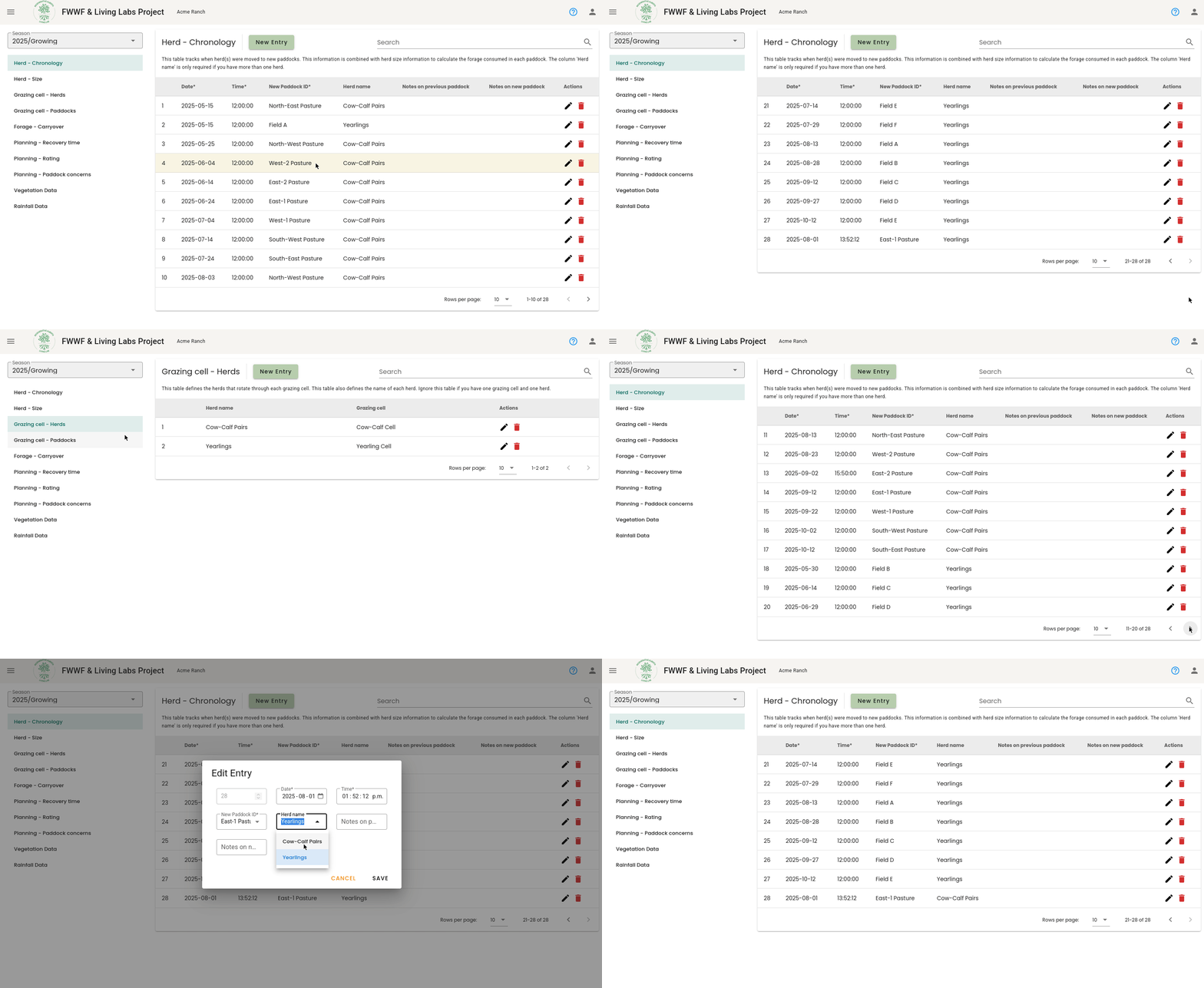
Herd - Chronology
| Column | Description |
|---|---|
| Date & Time | The date and time that the herd was moved to the new paddock |
| New Paddock ID | The name of the paddock that the herd was moved to |
| Herd name | The name of the herd that was moved |
| Notes on previous paddock | Any notes that you want to associate with the paddock that was grazed |
| Notes on new paddock | Any notes that you want to associate with the paddock that the herd is about to graze |
Common Pitfall: Moving A Herd To A Different Grazing Cell
A common pitfall is recording the movement of a herd to a paddock that isn't in the herd's grazing cell. A limitation of our methodology is that each paddock is a member of a single grazing cell, and each herd is a member of a single grazing cell (this is for the sake of some calculations).
If you need to move a herd to a different grazing cell, review the FAQ for the recommended approach.
Forage - Carryover
Forrage carryover refers to the forage that was carried over from the growing season into the dormant season. At the end of the growing season, you should record the amount of forage that remains in each paddock. This information contributes to calculations of the amount of forage that was produced by each paddock over the course of the growing season (compared to amount of forage that was consumed). The table is also used to specify the amount of forage in each paddock that rolls over into the dormant season as being available for consumption.
| Column | Description |
|---|---|
| Paddock ID | The name of the paddock |
| Forage | Your estimate of the amount of forage that exists in the paddock at the end of the growing season |
| Unit of forage | The units of your estimate of how much forage exists in the paddock |
Vegetation Data
This table should be used to record vegetation data when you are in the field.
| Column | Description |
|---|---|
| Paddock ID | The paddock that you are recording vegetation data in |
| Date & Time | The date of your recording |
| Image - Waist Height | The waist height image |
| Image - Grazing Stick | The grazing stick image |
| Vegetation Height (cm) | The height of the vegetation in centimeters |
| Vegetation Type(s) | The types of vegetation being recorded |
| Notes | Any notes that you want to associate with the record |
Rainfall Data
This table can be used to record rainfall that occurs over the course of the season.
| Column | Description |
|---|---|
| Date & Time | The date of your recording |
| Rainfall Amount (mm) | The amount of rainfall that you are recording |
| Notes | Any notes that you want to make on the rainfall |