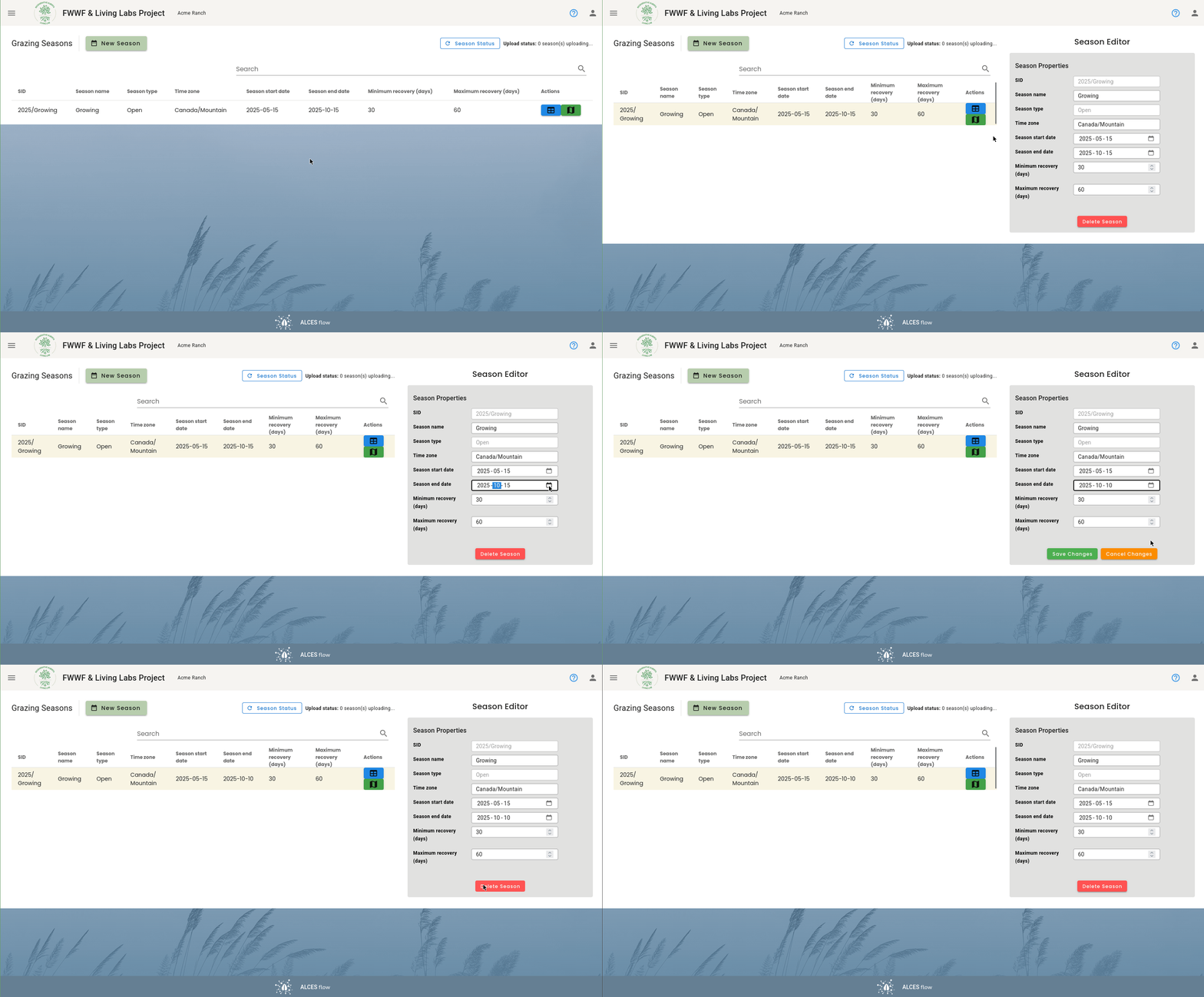
Modifying Season Settings
The parameters for each season are shown on the "Season Manager" page. You can update a season's parameters by clicking on the row.
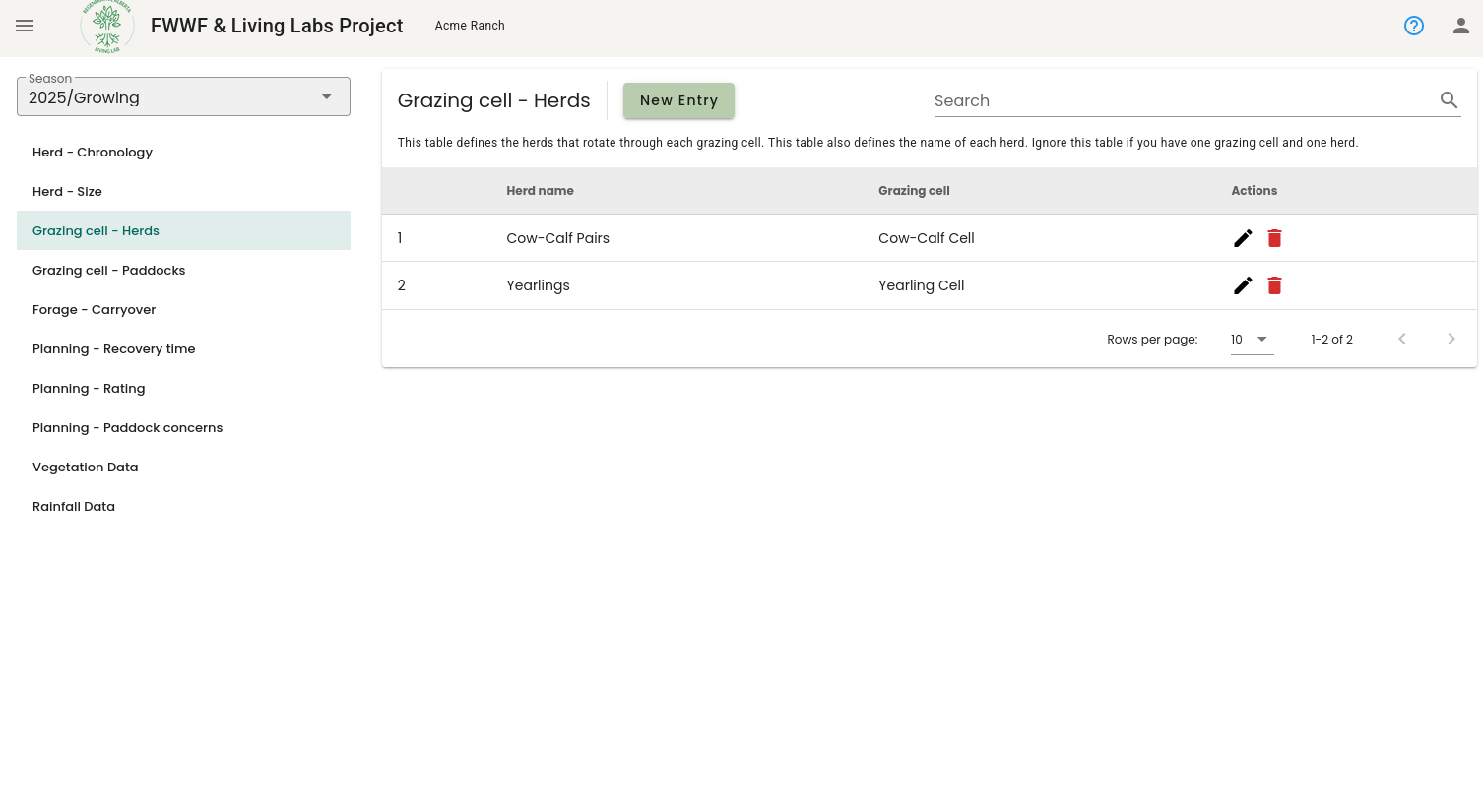
Modifying Grazing Cells
You can edit the herds that are in each grazing cell by editing the table named "Grazing cell - Herds" in the Ranch Table Manager. This table defines the herds that are in each grazing cell. You can also add or remove herds by making changes to this table.
Changes don't apply to other tables
Changing the name of a herd or the grazing cell that it's in won't update existing records that have been collected. This means that changing the name of a herd, or the cell its in, may break things if data has already been collected (you would need to update all of the records in the tables appropriately).
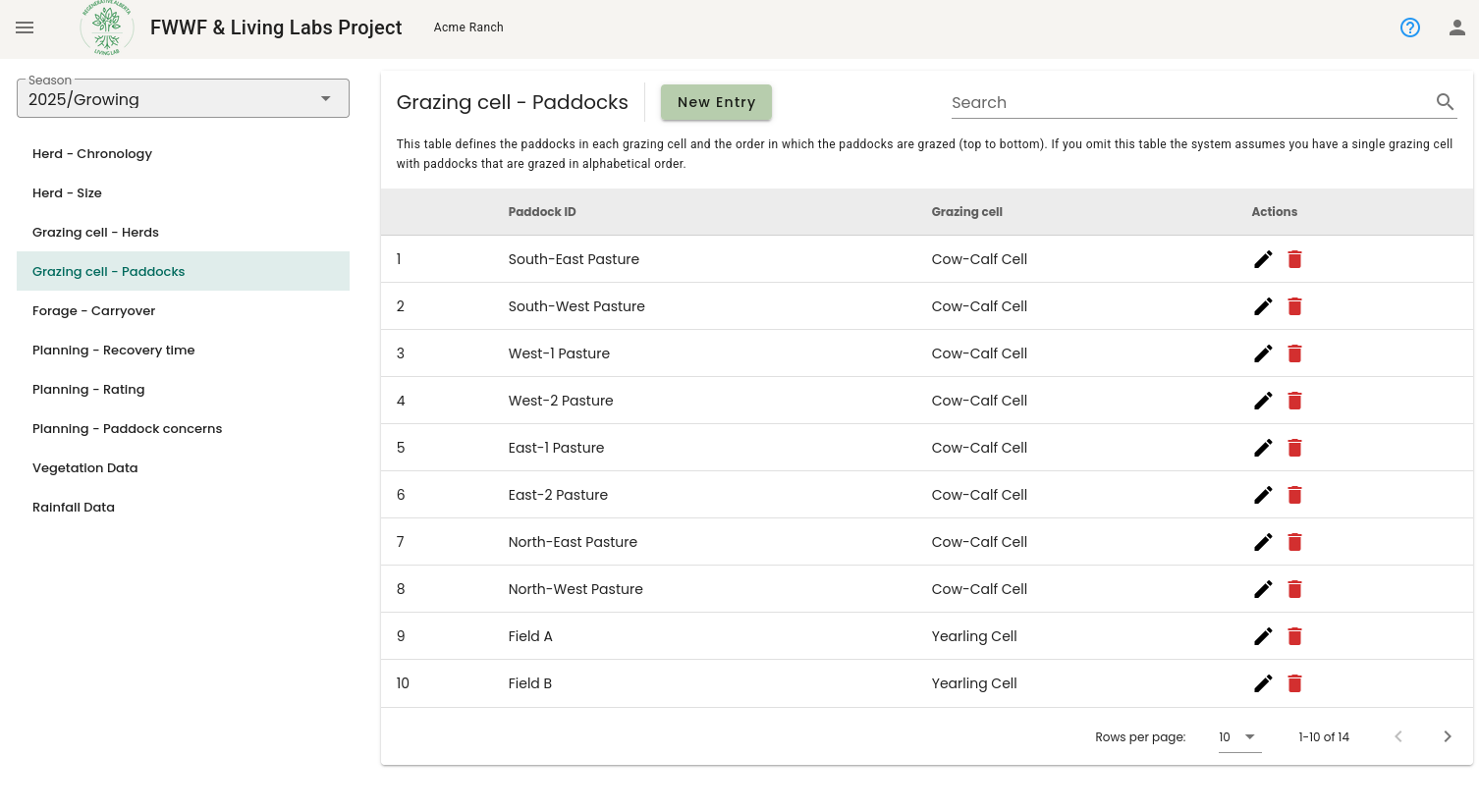
Similarly, you can edit the the grazing cell that each paddock is assigned to using the "Grazing cell - Paddocks" table. Note that paddock names must match the names in the paddock boundaries file that you uploaded.