FAQ
This page has answers to Frequently Asked Questions (FAQs).
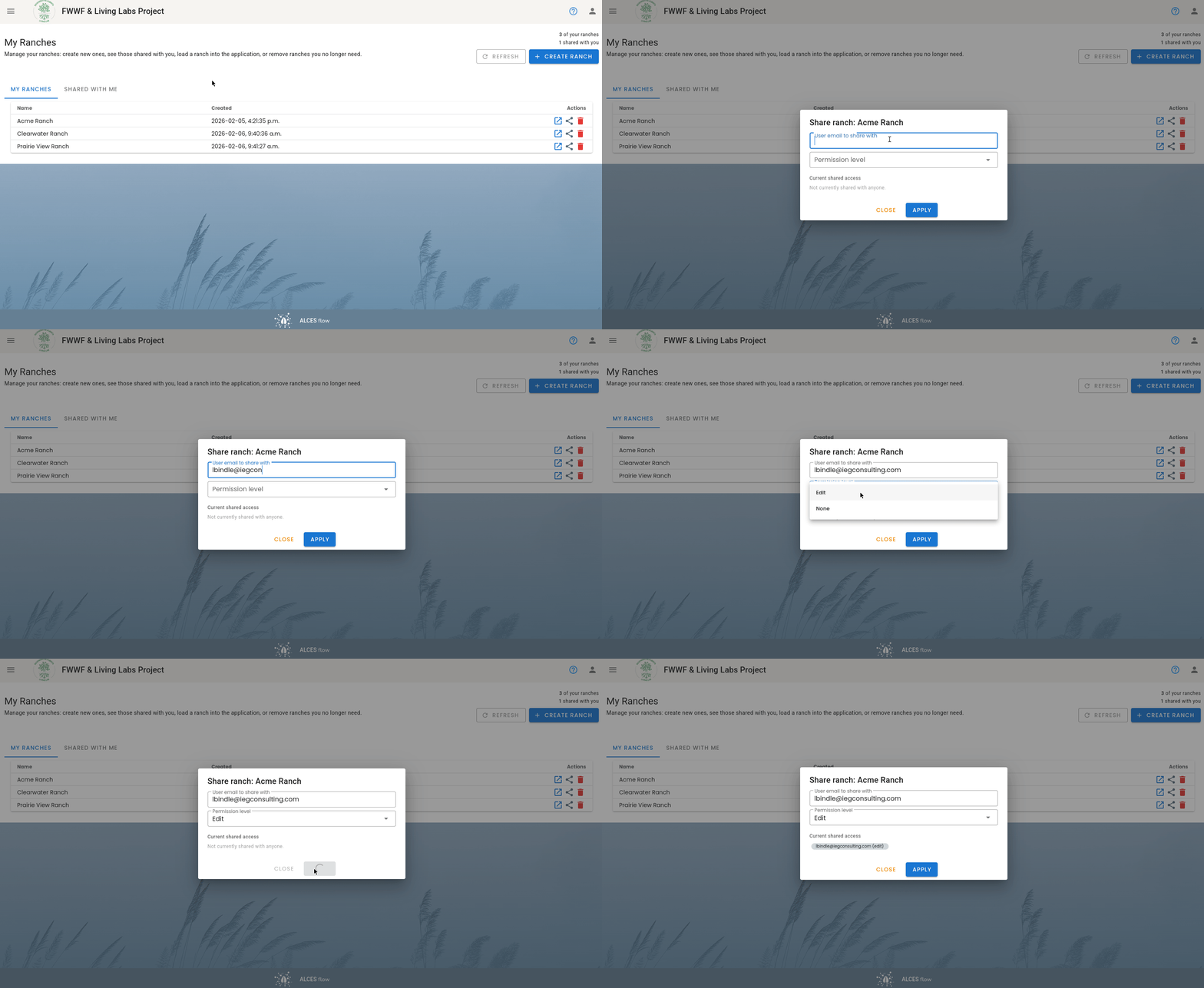
How do I share a ranch with another account?
You can share a ranch using the "My Ranches" page. This can only be done by the account that owns the ranch. Enter the email of the account you can to grant edit access, and then set the permission level to "Edit".
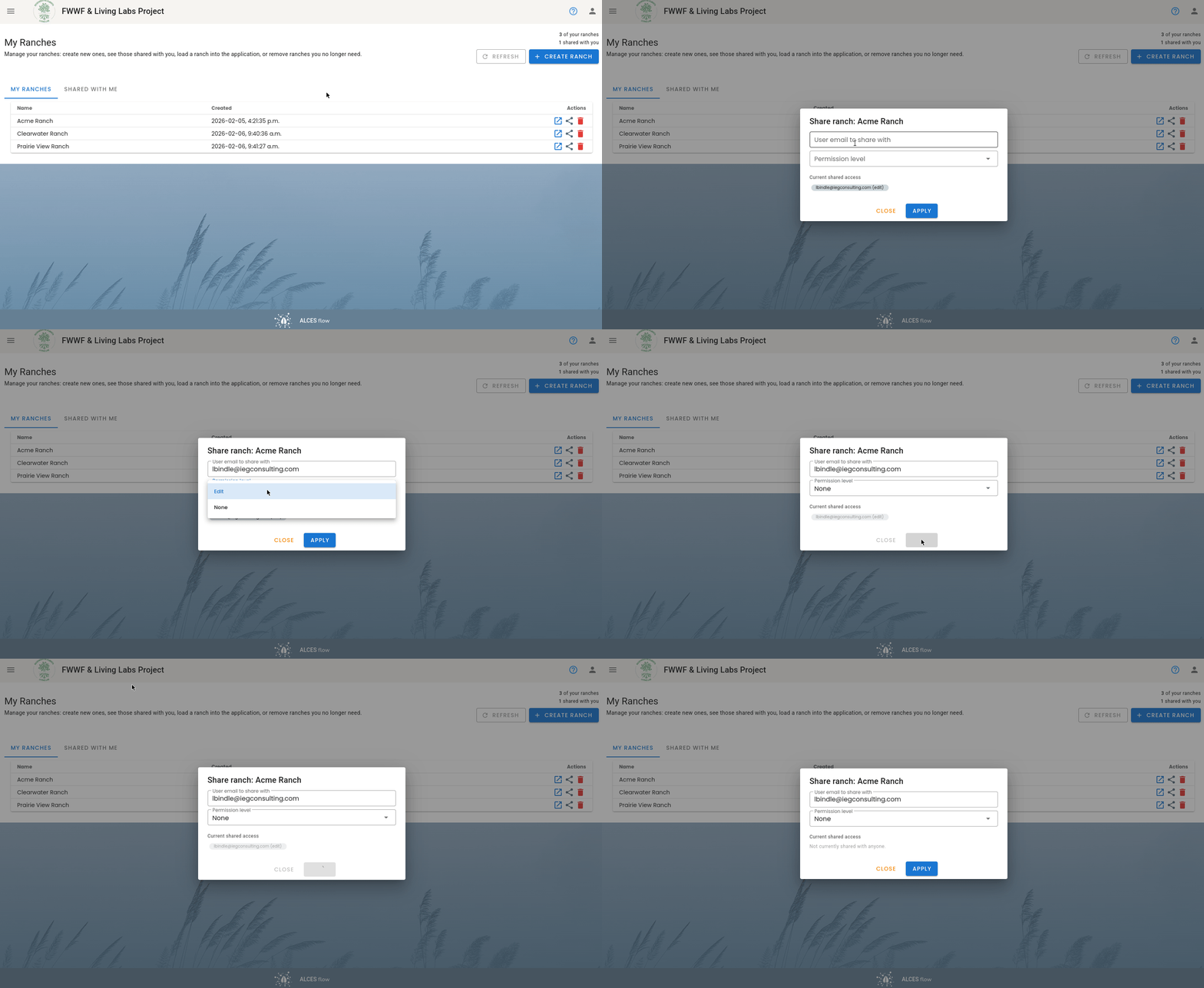
How do I unshare a ranch?
You can unshare a ranch using the "My Ranches" page. Enter the email of the account from which you want to remove edit permissions, and then set the permission level to "None".
How do I download (or backup) the data associated with a season?
To export all of the data associated with a season, navigate to the "Season Manager" and then click the button (export season data). This downloads an Exel file with all of the season's data. The paddock boundaries can be downloaded using the button.
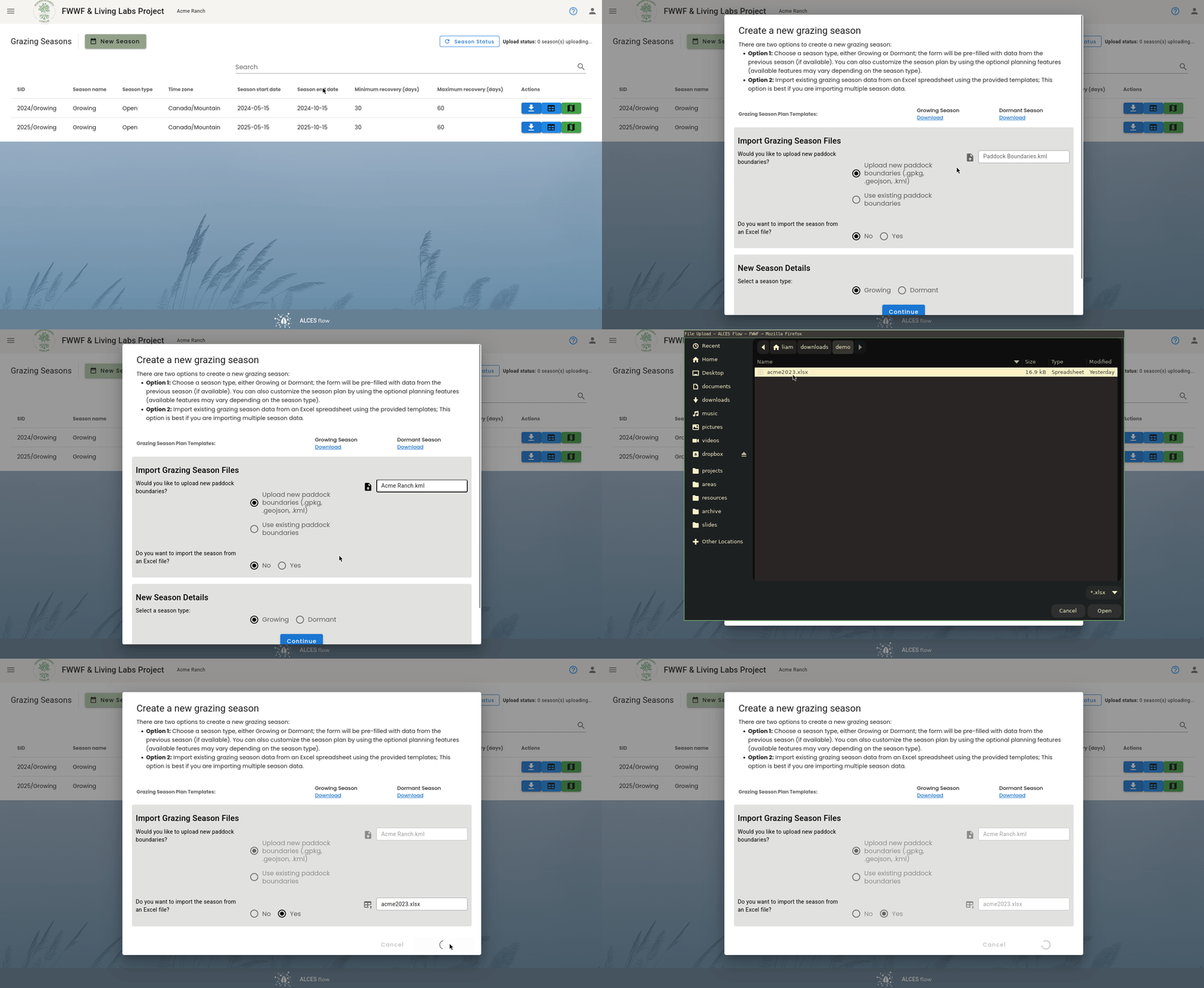
How do I import a season from an Excel file?
You can import a season from an Excel file by selecting "Yes" in the "Creating a new season" dialog.
This can be useful for...
This can be useful for importing historical records, or any time you need to import a bunch of data at the same time. This can also be helpful for fixing severe/prolific errors in collected data, and creating backups of the data you collected.
How do I reset my password?
To reset your password, please contact info@foodwaterwellness.org.
How do I move a herd to a different grazing cell?
A limitation of our methodology is that each paddock can only be in one grazing cell, and herds can only circulate through one grazing cell. If you need to move a herd to a new grazing cell, the following is the recommended approach:
- Create a new herd (name) in the (new) grazing cell
- Set the size of the new herd name (as of the date the herd moves to the new cell)
- Set the size of the old herd name to zero (as of the date the herd moves to the new cell)
Are there some examples that I can use to get started?
Yes, we have a number of example files that you can use to create season's with prepopulated records. We recommend creating a ranch called "Acme Ranch" for this. The paddock boundaries file can be downloaded below. When you create a season you can import one of the xlsx files to import all of its data (see How do I import a season from an Excel file?).
Paddock boundaries
Data records for full seasons
Data records for planning seasons
FWWF Admin
How do I create a new user?
FWWF administrators account have access to the user management page. To add a user:
- Click the icon in the top right corner of the website
- Click "User Management"
- Click "Add New User"
- Follow the prompts
To make an account an administrator, click the "fwwf-admin" checkbox. This gives the account the ability to add new users.
How do I reset a user's password?
FWWF administrators account have access to the user management page. To reset a user's password:
- Click the icon in the top right corner of the website
- Click "User Management"
- Click the user whose password you want to reset
- Click "Reset User Password"