Planning A Season
The Ranch Operations Manager can help you plan the movement of your herds through your paddocks over the course of a season. Based on where your herds are currently located and the rotation order you've set up for each grazing cell, the planner works out when each herd should move to its next paddock. Paddocks with higher ratings get more grazing time — so if one paddock is twice as productive as another, the herd will stay there roughly twice as long. The planner repeats this process move by move until it reaches the end of the season, building out a full projected schedule.
The plan isn't fixed — it updates automatically as you record actual herd moves throughout the season. Each time you open the plan, it picks up from your most recent recorded moves and projects forward from there. So if you kept a herd in a paddock longer than originally planned, all the subsequent moves will shift forward to reflect that. If you moved a herd earlier than expected, the rest of the schedule will tighten up accordingly. This means the plan always stays in sync with what's actually happening on the ground, rather than going stale after the first few moves.
The planner also takes pasture recovery into account. Before moving a herd into a paddock, it checks when that paddock was last grazed and whether it's had enough time to recover. If a paddock isn't ready yet, the planner will slow things down slightly, spreading a short delay across the moves leading up to it so your herds aren't sitting idle in one spot. It also makes sure a herd never catches up to the one ahead of it in the rotation. If you add or remove herds partway through the season, the planner handles that too — new herds get placed in the largest open gap in the rotation so they're spaced out as evenly as possible, and herds that drop to zero head are taken out of the schedule at that point.
Prerequisites
To get the Ranch Operations Manager to plan your moves, you need to configure the following information using the Ranch Table Manager.
Grazing Rotation Order
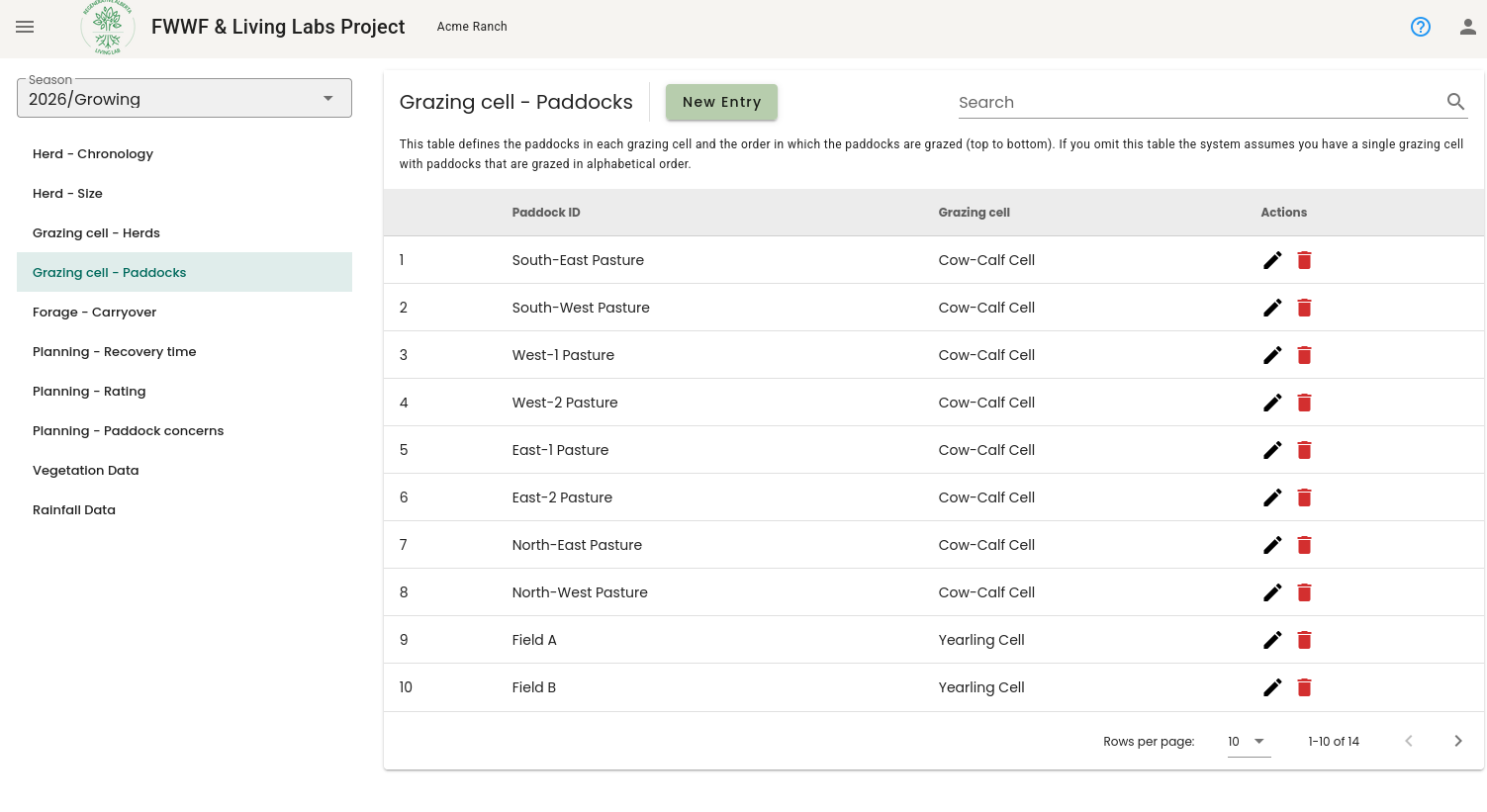
The order of paddocks in the Grazing cell - Paddocks table defines the order in which herds rotate through the grazing cell (top first, bottom last).
Paddock Ratings
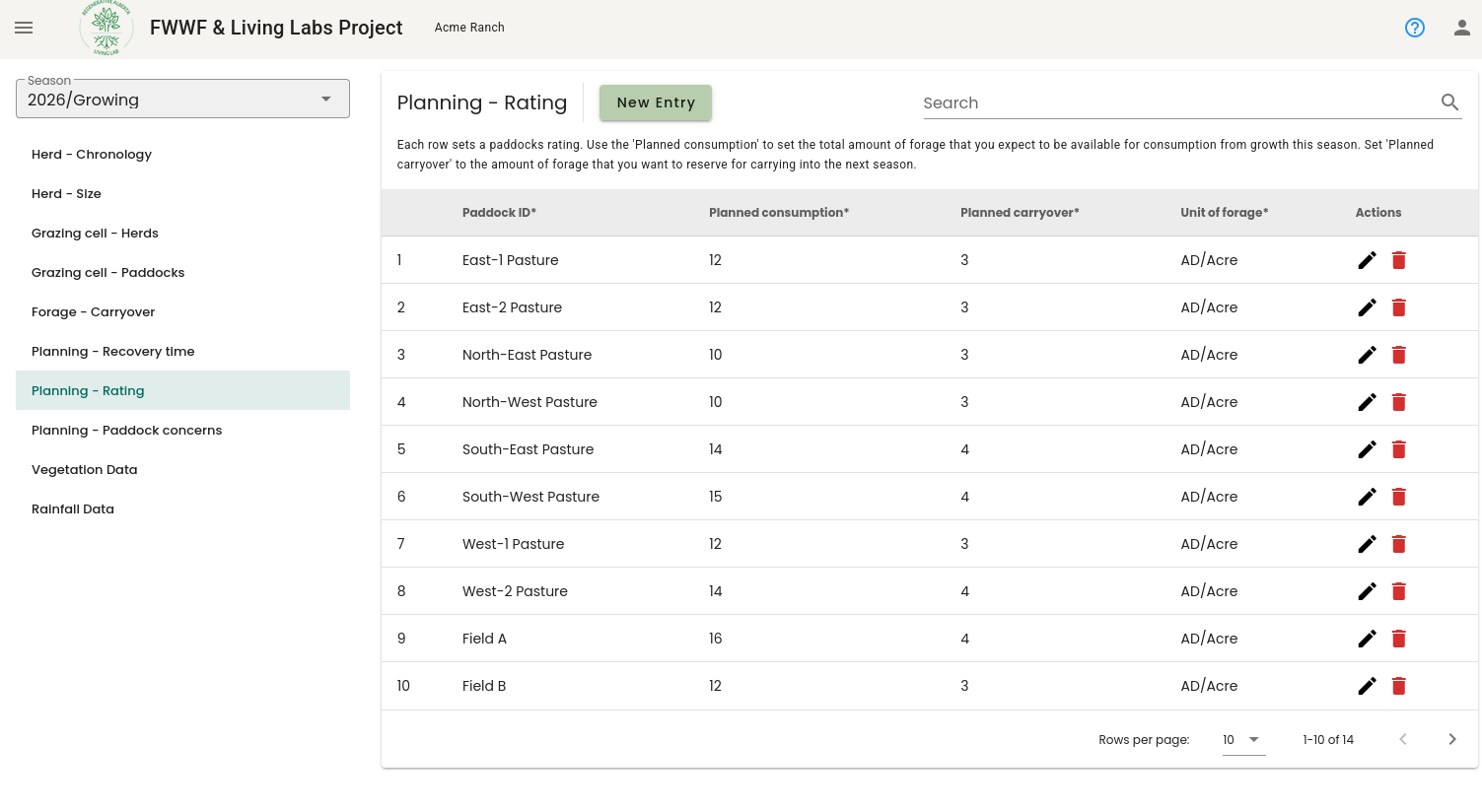
Each paddock's rating reflects how much forage it can provide, measured as planned consumption per unit area. The planner uses these ratings to determine how long a herd should stay in each paddock — paddocks with more feed get longer grazing periods, and paddocks with less get shorter ones. You can configure ratings for each paddock in the Planning - Rating table.
- Planned consumption - This is the amount of forage that you expect each paddock to produced and consumed during the growing season.
- Planned carryover - This is the amount of forage that you want to reserve for carrying over into the dormant season.
The sum of the planned consumption and planned carryover in each paddock should equal the total consumable forage that you expect each paddock should produce.
Cell Recovery Times
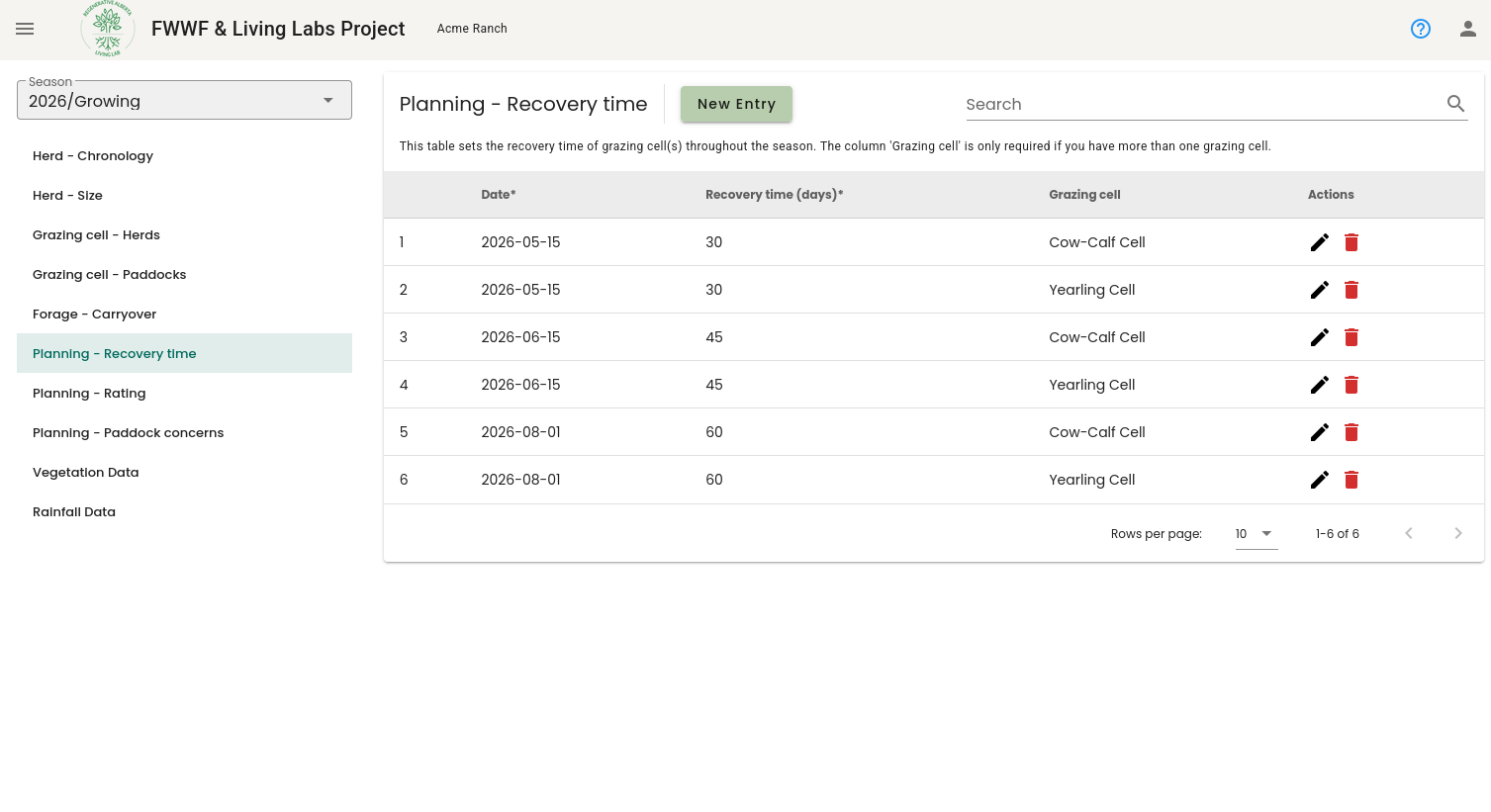
Recovery time is how long a paddock needs to rest between grazing periods before it's ready to be grazed again. This typically changes throughout the season as forage growth rates vary. You configure expected recovery times for each grazing cell in the Planning - Recovery time table.
Herd Size (Expected Changes Through The Season)
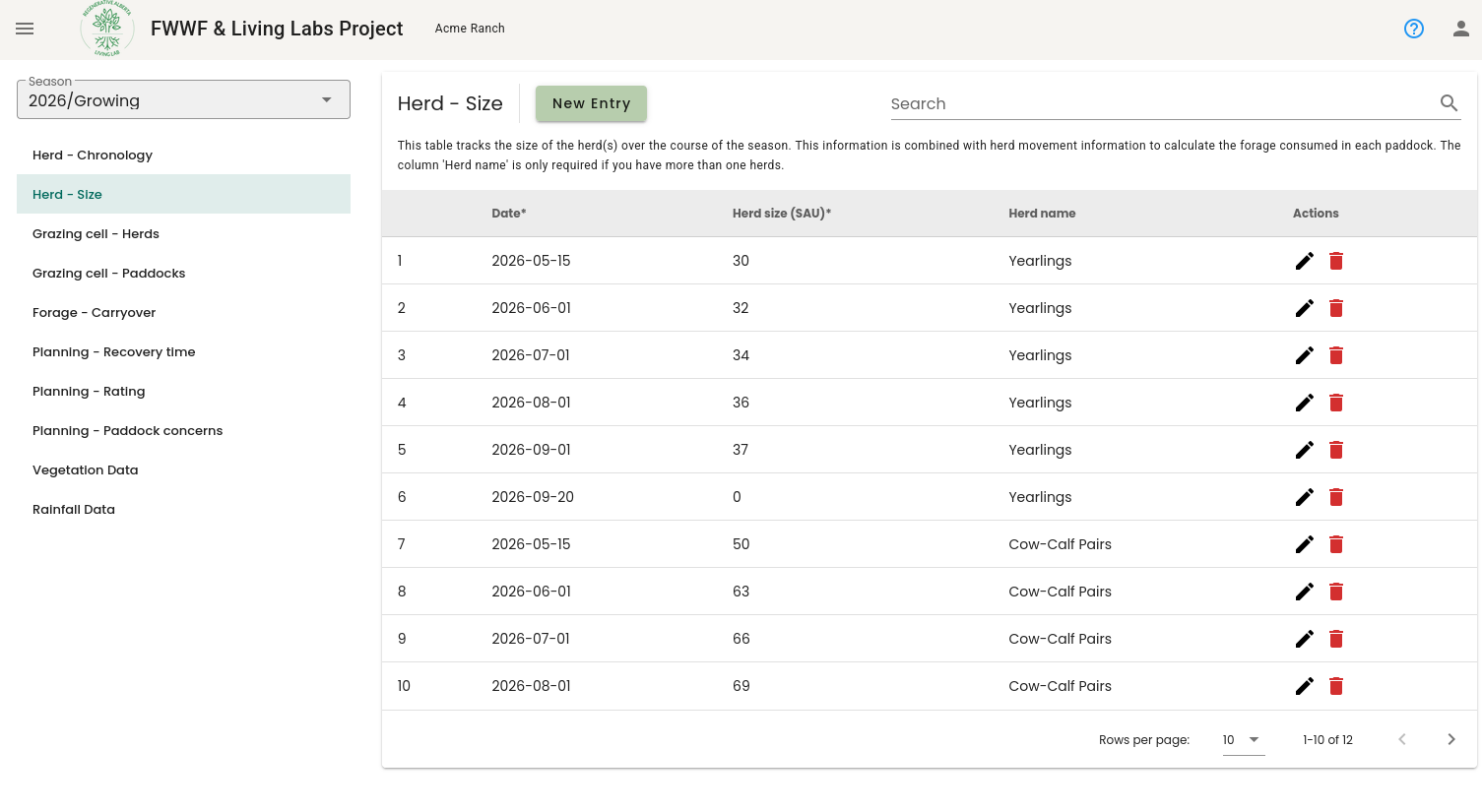
For the planner to know the rate of consumption, it needs to know how you expect the size of each herd to change over the course of the season. Herd sizes often change as animals grow, calves are weaned, or cattle are sold. You configure the expected herd size profile in the Herd - Size table.
Viewing The Plan
Once you have configured the prerequisite information, the Ranch Operations Manager will automatically plan herd movements until the end of the season. These planned moves can be viewed in three ways:
- By downloading the season's grazing sheet (see Exporting Grazing Sheets). Planned moves are indicated by semi-transparent occupations.
- In the mobile app in the Schedule Tab
- In the data viewer by selecting a Purpose that starts with "Plan" (see Using The Data Viewer).